// Key takeaways
- technology
- aws
- cloud
- comparison
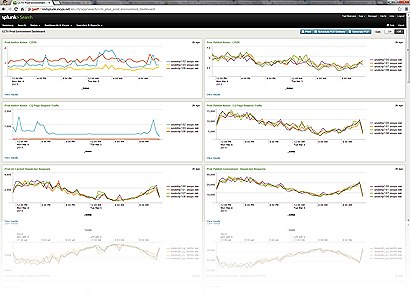
Following are a few points that I can think of, from my own usage of the product, that compares the three. Note that the Splunk install I have is a relatively small one – 40GB/Day data ingestion rate, so the problems I have and features I like are going to be a lot different than ones of a big site.
Auto Source Typing
Knows the source typing of your data, automatically parses it and extracts fields. Nearly every log file type except the really obscure ones (like CQ5 dual-line request logs) are automatically parsed & fields extracted by Splunk.
Same as self-hosted Splunk.
Can’t parse data by itself, makes you tell it how to parse the data before it can extract any fields. The Sumologic demo guy we had said this is coming later as a feature at some point.
Interactive field extraction
Easy as heck to extract fields from unknown log types using the interactive field extractor tool. Makes it dead easy to do more complicated lookups & averages on new log types.
Same as self-hosted Splunk
Couldn’t figure out how to do this with Sumo.
Scripted Input from Unix Boxes
This is (in my opinion) one of the biggest selling features of Splunk. Splunk’s *NIX app includes, out of the box, nifty scripted input that grabs the output of top, ps, netstat, df, etc and dumps that into a parsable, graphable index that you can use to make nifty CPU and network graphs for dashboards, search to see when a particular process was actually running on a machine, etc.
Splunk Storm presently does NOT allow you to run apps, which is far and away the biggest reason it’s still sort of a toy compared to the self-host product.
You’d have to do this yourself in Sumo Logic, which is a LOT of work.
App ecosystem
Self-host Splunk gives you access to all of the nifty apps folks have made for parsing F5 data, Nagios data, S3 buckets, etc, etc.
Splunk Storm doesn’t let you do apps.

They’re working on an app infrastructure, but this is nowhere compared to the 5-year head start Splunk has.
Graphing
Splunk has sexy graphing libraries that let you make radial gages, marker gages, area graphs, scatter graphs, all sorts of sexy ways to visualize data.
Same as self-host Splunk.
Bar graphs, line graphs, that’s about it. Pretty bare-bones, though the dashboarding is pretty easy to accomplish.
Integration with On-Premise Data
Single web search head can query multiple indexers, including things on F5’s, CCTV prod, etc, etc. A search head at amazon could transparently include on-site data.
You can’t really do this with Storm.
Can’t do this with Sumo.
Data Retention
You can retain as much as you have storage for.
You pay for data retention
You pay for data retention
There’s more, but this is just what I could think of off the top of my head.
I’m really curious to know what folks think of Sumo Logic, especially for those who’ve used Splunk in production as well.
// Related reading
-
Field Experiment · LLM
Testing GEO/SEO with Adobe LLM Optimizer
Read the experiment →
-
Field Notes · DevOps
Tailing and viewing Adobe Cloud Manager build logs
Read the runbook →